Quick answer: Defragmentation rearranges scattered pieces of files on a traditional hard drive (HDD) so they can be read faster. Solid-state drives (SSDs) don’t need it, and Windows knows the difference. Leave scheduled optimisation turned on and Windows takes care of both types automatically.
What “fragmentation” means
Imagine a bookshelf where, over time, you add and remove books. Eventually, there’s no single gap big enough for a new 10-volume set, so you squeeze volumes into whatever small gaps you can find, all over the shelf. Finding the whole set now takes longer.
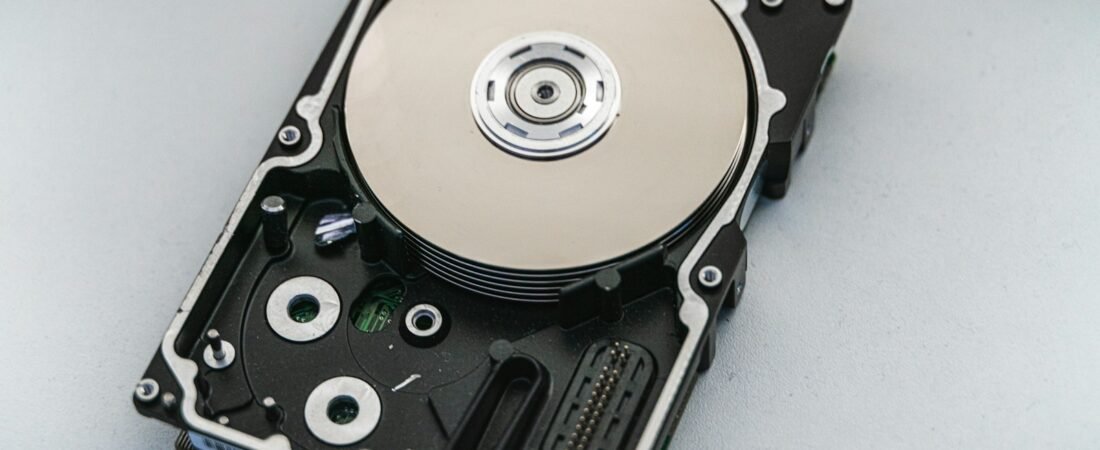
Traditional hard drives work in a similar way. As files are saved, changed and deleted, big files get split into pieces stored in different places on the spinning disk. The drive’s read head has to physically move between those pieces, which slows things down.
What defragmentation does
Defragging is the tidy-up: it gathers the scattered pieces of each file and places them next to each other, so the drive can read them in one smooth sweep. On a heavily fragmented hard drive, this can make opening files and starting Windows noticeably quicker.
Why SSDs are different
SSDs have no moving parts. They can read any location almost instantly, so scattered files don’t slow them down. Defragging an SSD brings no speed benefit, and unnecessary writing adds wear over time.
Instead, Windows sends SSDs a “TRIM” instruction, which tells the drive which blocks are no longer in use, helping it stay fast. Windows calls both processes optimisation and picks the right one for each drive automatically.
How to check your drives
- Click Start and search for Defragment and Optimise Drives.
- Look at the Media type column: “Solid state drive” or “Hard disk drive”.
- Check that Scheduled optimisation says On. If not, click Change settings and turn on Run on a schedule (weekly is fine).
- To run it now, select a drive and click Optimise.
Will defragging fix my slow PC?
If your PC has a modern SSD, almost certainly not: fragmentation isn’t the problem. If it still has a hard drive, regular optimisation helps a little, but the biggest single upgrade you can make is replacing that hard drive with an SSD. Our guide Windows 11 Running Slow? 10 Fixes That Actually Work covers the real culprits.
Myths to forget
- “You need a third-party defrag tool.” You don’t. Windows’ built-in tool is enough.
- “Defrag your SSD to speed it up.” It won’t help, and Windows prevents a full defrag on SSDs anyway.
- “Defrag every day.” Weekly scheduled optimisation is plenty.